
Модификатор шаблонов — предмет из мода ExtendedAE.
Как работает #how
Pattern Modifier
The Pattern Modifier is a tool for modifying patterns in bulk.
Right-click it to open its GUI.
Multiply Mode
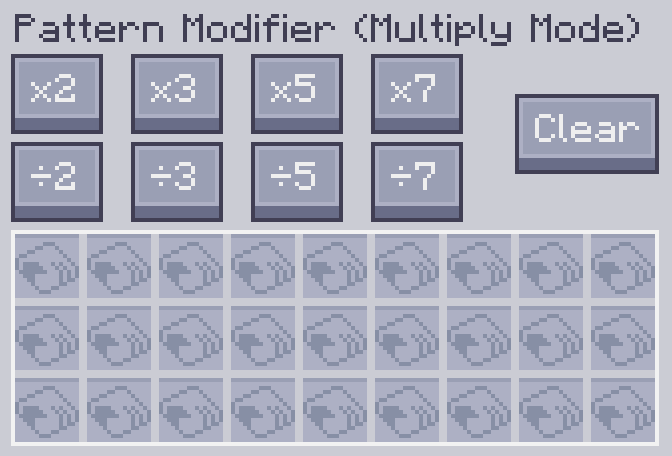
You can multiply or divide the input and output quantities of processing patterns by x by clicking the corresponding button.
Original Pattern:
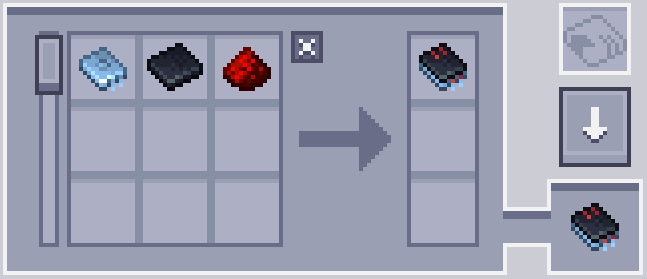
After x10:
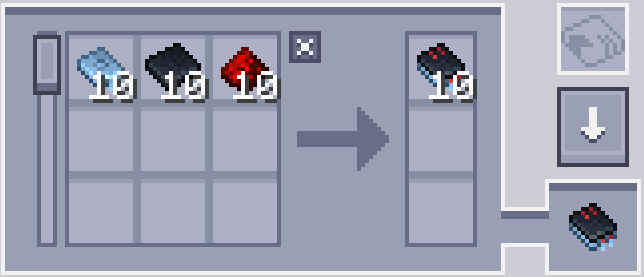
You can also clear the contents of all patterns and turn them into blank patterns by clicking the Clear button.
Notes
-
The division button works only when the amount is evenly divisible. For example, the ÷2 button does not work when a pattern requires 3 cobblestone as input because 3÷2 is 1.5.
-
The multiplication button has a cap of 999999. It cannot increase the amount of a single ingredient beyond this number.
Replace Mode
Replace a specific input or output ingredient in patterns with another item.
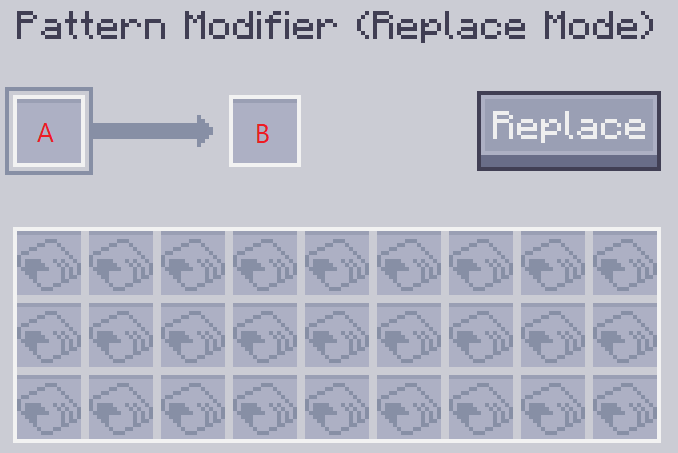
Slot A contains the ingredient to replace, and slot B contains its replacement.
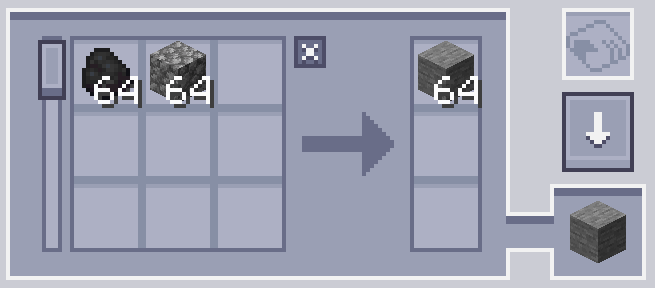
For example, the following setting replaces the plank with coal.
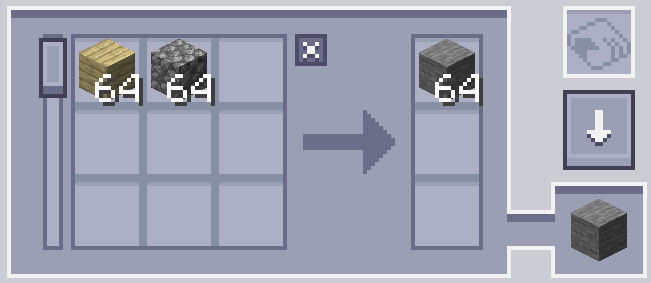
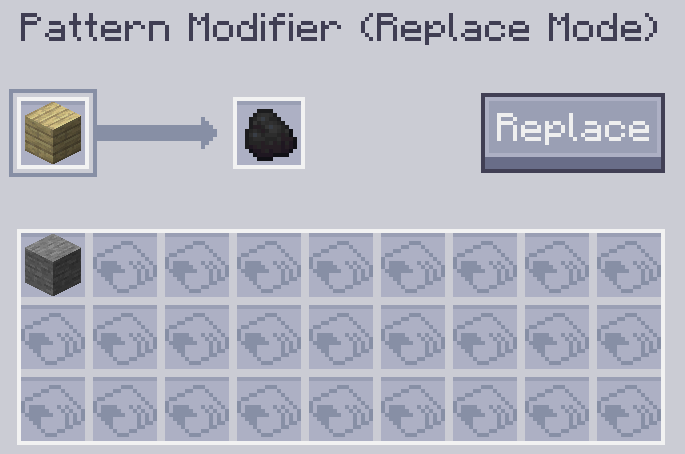
Click the Replace button to perform the replacement.
Property Mode
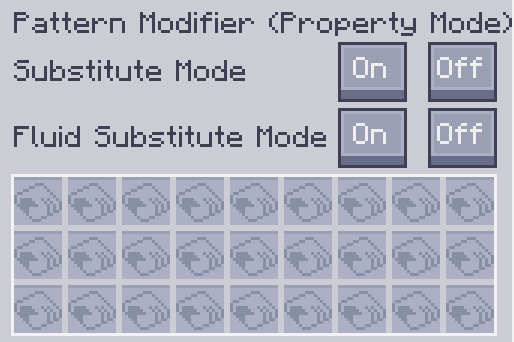
Modify the Substitutions and Fluid Substitutions settings of crafting patterns.
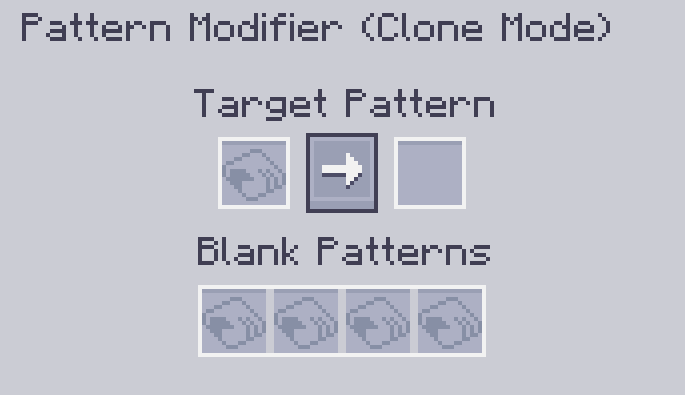
Clone Mode
You can copy any given pattern in this mode.
Мод не переведён — текст книги на английском, как в игре.
Читать запись целикомПолучение #obtain
Делают по 1 рецепту: верстак.[2]

 ×2Зелёный краситель или другой предмет из тега (Minecraft)
 ×1Пустой шаблон (Applied Energistics 2)
 ×1Логический процессор (Applied Energistics 2)
Применение #uses
Нужен в 1 рецепте. Из него делают:

Источники
- Встроенная книга «ExtendedAE — руководство», запись «Pattern Modifier»
- Рецепты из jar модов без изменений сборок